Videoblogging Week 2009 finished up last week. I tried to participate as much as I could, and like Steve Garfield says, many videos end up in different places. They don’t all make it to the videoblog because they don’t all fit the Mexico Movies theme.
Some are family videos, and some don’t have anything to do with life in Mexico. Some get posted to Qik and others get posted to Facebook or Vimeo.
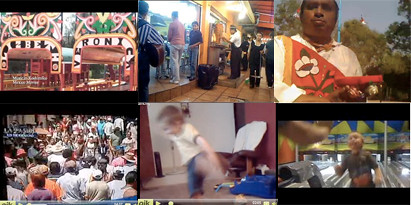
For what it’s worth, here are the videos I made for videoblogging week 2009:
Day 1 – Tequila in Mexico (Mexico Movies)
Day 2 – Los Voladores (Mexico Movies)
Day 3 – Tacos al Pastor (Mexico Movies)
Day 4 – Bus Ride in Mexico City (Mexico Movies)
Day 5 – Dancing (via qik)
Day 6 – Nathan’s first time Bowling (Vimeo and Facebook)
Day 7 – Iztapalapa Passion Play (via qik)
I saw this on twitter the other day, and it made me think about the use of social media in missions.

My job as a missionary has many different aspects. I spend most of my time training youth workers (both formally and informally). I spend a little of my time working with young people (not as much as I used to). I also try to inspire people to be involved in missions.
Some parts of what I do are easier to talk about on social media than to actually do, especially given the culture in which I work.
Right now, for example, twitter in Mexico isn’t very popular. Facebook is coming of age in Mexico. But it would be weird for me to try to convince people here to use twitter so that I could connect with them and train youth workers through twitter. Could I do it? Probably. Would it be very effective? Right now, probably not. (Maybe in the future).
The part of my job that has to do with inspiring people (mostly in the United States) to be involved in missions (either by financially supporting, praying for, or considering going to serve in a foreign culture, among other things), is a little easier to do using social media. In fact, I believe social media has made this part of my job easier. I no longer have to be in the United States to remind people to be praying for our family or ministry.
But this part of my job basically requires talking about what I do in Mexico and Latin America. To answer Tony’s question, talking about what I do (using social media) to those in the United States and elsewhere helps me be able to do what I do in Mexico and Latin America.
I am definitely interested in using social web to train youth workers. In fact, we have a social network (in Spanish) set up on Ning that has various members from all over Latin America. We use it to help them with their ministries. I’m sure we could use it better.
As always, I need to continue thinking through the question. But for some parts of my job it is easier to use social networks than others.
I’d love to hear your thoughts on this. Leave a comment and let me know what you think.

This is the third year we’ve watched March Madness online, so we’ve got lots of experience watching sports online. The NCAA gets it right with their presentation of MMOD.
This year, they ditched the sign-up and waiting in line thing. You just go to the site and click whichever game you want to watch and bang, you’re in.
Lots of other events and programs that are available online in the United States are not available if you live outside of the United States. I’m grateful that, at least for now, the NCAA has allowed us to watch just like everyone else, without having to do things like hide an IP address (which I’ve heard slows down your internet connection).
Live streams of games come in different qualities, too. You can choose which quality you want to view the game in based on how well it streams on your computer. We are stuck watching the lowest, or “fair” quality because we have somewhat slow internet, but the option of HD is there.
I noticed yesterday, too, that you can watch every game archived. The entire tournament is online and on-demand. So if you missed your favorite team’s first or second round games, you can watch it online.
This year, they will have every single game online, too, including the final four and championship game. That’s pretty exciting because it means that, no matter where you are, you could watch the games. We get the final games on TV here, but it’s good to know that I could watch it online if I wanted.
There are a lot of other features on the site, like watching the games live on your iphone and remixing highlight reels. Thanks, NCAA, for making it a great experience on what many basketball fans call “Second Christmas.”
 I just finished reading “Communicating for a Change” by Andy Stanley. I read the entire book on my iPhone using the Kindle application. Here’s my review so far of the app. Maybe later I’ll give you my thoughts on the book.
3 Things I Love about the Kindle App:
- Availability of Books/number of titles/cost of books: They say that there are over 245,000 titles available. Since I can’t just go to the bookstore and pick up the latest books, I can at least browse the kindle store and buy the books I’d like to read.
- Ease of download/use: Within 60 seconds after buying the book on Amazon, I can download it to my iphone. There’s no waiting for it to be shipped to my house. It’s automatically there.
- Location – my iphone is always with me: I’ve always got my phone with me, so I can always have a book with me. I can read anywhere.
3 Things I Hate about the Kindle App:
- No easy way to comment or write notes: I like to write notes or comments about the things I’m reading, but this isn’t very easy with the Kindle app. I would love it if they had a way to write notes in the app itself and then email myself the notes I took on the book. It’s not even that easy to bookmark pages for future reference. It puts some weird location thing on it, making it difficult to really know what bookmark is what (click the picture to the side to see what I’m talking about).
- A little hard on the eyes: After reading for a while, my eyes were really tired from looking at the screen. You can change the size of the font, but I think it has to do with the lighting of the screen.
- Use of gestures instead of just tapping to turn the pages: In order to turn the page (which you do a lot because of the size of the screen), you have to swipe the screen. I’d rather just tap one side of the screen (like you can do on the Stanza app). It would be easier and cut down on the carpel tunnel syndrome I’m bound to get.
3 Things I wish they would add or Change:
- A search feature: Sometimes I remember something I read, but I can’t remember exactly what or where it was. I wish there was a way to search the book on the Kindle app. That would make it easier to look up things that I want to use later.
- Notes feature or a way to organize bookmarks: If I had a better way to organize the things I found interesting in the book, it would be a better app.
- Better page numbering system: For some reason I like to look at the number of pages that I’ve read or the number of pages that are left in the book. I would love to see the Kindle app let me know those things in a language I can understand, instead of some weird location system that they are using now.
Overall, I like the application, and I’m looking forward to reading more books on it. There are always improvements that could be made, but I’m happy with my experience so far with the Kindle App for my iPhone.
 Last week, Amazon released the Kindle App for the iPhone
 . I love the fact that I can download newer books online and read them on my iphone regardless of where I am.
Since I can’t go to the bookstore and pick up the latest books, having the ability to buy ebooks from Amazon is very appealing to me.
Here are ten books that I’d love to read on my iPhone. All these books would be great for youth workers. Which books from the Kindle Store would you recommend?
- When Church Kids Go Bad

- Engaging the Soul of Youth Culture

- Youth Ministry Survival Guide: How to Thrive and Last for the Long Haul

- 101 Ideas for Making Disciples in Your Youth Group

- The New Breed: Understanding and Equipping the 21st Century Volunteer

- Getting Fired for the Glory of God: Collected Words of Mike Yaconelli for Youth Workers

- Youth Ministry 3.0

- The Pirate’s Dilemma: How Youth Culture Is Reinventing Capitalism

- Comparative Youth Culture

- Communicating for a Change: Seven Keys to Irresistible Communication

I’m looking forward to reading some of these on my iphone. What do you think of the new Kindle app?
Check out my post on using my iphone to improve my spiritual life.

I recently purchased a used 1st generation iPhone, and since then it has become an extension of my arm. In fact, I think I might be addicted. But I could stop using it anytime I want. Really, I could. I’m not addicted.
Seriously, though, I have learned to use my iPhone to help me in my spiritual life. Here are 5 ways I’m using it to improve my walk with God:
- Note taking: I take notes in church and in chapel on my iPhone. Everyone thinks I’m just text messaging someone (or twittering), but the truth is I really have been taking notes. Then I email my notes to myself and file them in a folder listed “sermon notes” in my gmail. Since gmail is easily searchable, I can always look for a certain topic or passage.
I also use it to take notes in my personal Bible study time. Then I email it and file it away.
- Devotion alarm: The Calendar application is set to remind me everyday that it is time to do my devotions. That’s pretty easy to do on any cell phone, but it helps me to actually DO IT if I schedule it.
I’m also thinking about setting an alarm to beep every hour to remember to pray for certain missionaries. I haven’t done this yet, but it might help me specifically pray for certain friends of mine who are serving in other countries.
- Praying for my contacts: I’ve begun to go through the contact list that is in my iphone (synced with my google contacts with nuevasync). I pray for a letter a day, and by the end of the month, I’ve prayed for everyone that is in my contact list.
I also use the facebook app to pray for my facebook friends alphabetically.
- Youversion: I read and bookmark Bible verses in Youversion. Although I like to use the full Youversion website even more than the mobile version, it helps me as I can scroll through various versions of the Bible.
- Worship: The iphone is also an iPod, so I use it to listen to worship music during my time with God. Mark Batterson talks about having a worship playlist to help you wake up. It’s a great idea.
Bonus: You can also listen to podcasts and view sermons on the iphone. I haven’t tried this yet due to lack of time to actually listen to or watch anything, but I can see how this would help improve your spiritual life.
Any other ideas for using your iPhone or iPod touch to improve your spiritual health?
Oh…by the way, you can get a free iPhone here. My friend has signed up and gotten TONS of free stuff from this site. Check it out.